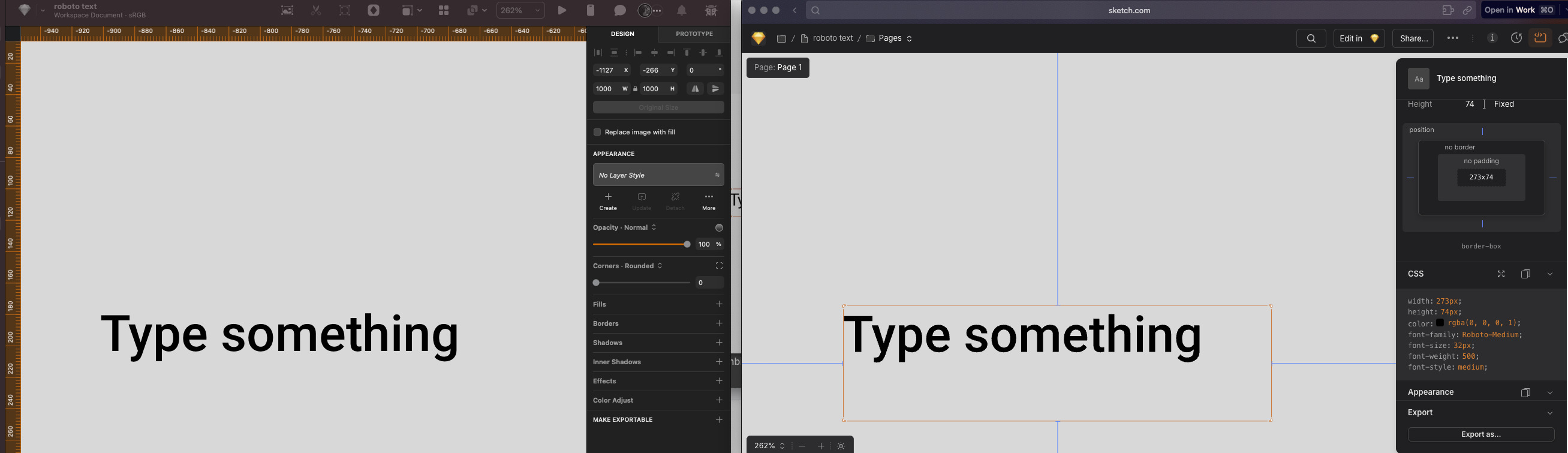
Roboto font doesn't show in web version

Hi,
I’m experiencing a problem getting the web version to show my texts with the Roboto font. It shows fine in my documents when editing on my Mac, but when I inspect it in the web version it looks like showing a fallback font, with no information on “Font-family” in the CSS panel.

Other fonts I have tried downloading from Google Fonts seem to work fine, but for some reason this particular font seems to have problems. I have tried removing and reinstall it, remove from embedded fonts and tried making new documents to test, but I can’t get it to work. Has anyone had this problem or any related font problems?

I’m using Version 2025.2.3

Hi @Nikolaj :waving_hand:

Thank you for reaching out. I tested this myself and could not reproduce the issue you described.

This makes me think this could be specific to your current settings, so I will ask you to try the following:

  • Remove the embedded font (if applicable) - If you have fonts embedded in the document, please remove the embed first.
    • go to File > Document Settings > Embed Fonts > Click on the checkbox to remove the embed status
    • Save the document (⌃⌘S) > Close Sketch
  • Reinstall Roboto
    • go to the Font Book app > uninstall the current Roboto font
    • reinstall the font (using a reliable source) - be sure it is the font’s latest version
  • Relaunch the Sketch
    • open the affected document
    • go to File > Document Settings > Embed Fonts > Click on the checkbox to embed the font
    • save document

Does this help resolve the issue? Let me know.

Cheers :folded_hands:

Hi Cristiana,

Thank you for your quick answer :slight_smile:

I have tried to follow your steps, but unfortunately it doesn’t seem to have any effect on the problem. I have downloaded the font directly from Google: https://fonts.google.com/specimen/Roboto.

Is there anything else I can check?

Thank you!

Hey @Nikolaj :waving_hand:

Could you please clarify the following:

  • Does this issue occur with any other documents, or is it limited to a specific one?
  • Does it happen with other weights of the same font?

Currently, it appears that the issue is specific to your environment. We could try cleaning the app or document caches, but I want to confirm whether the problem is confined to a specific document or the app in general.

Let me know :folded_hands:

Hi again,

It appears to be a problem in all current documents. I have also tried creating new ones to test if there’s any difference.

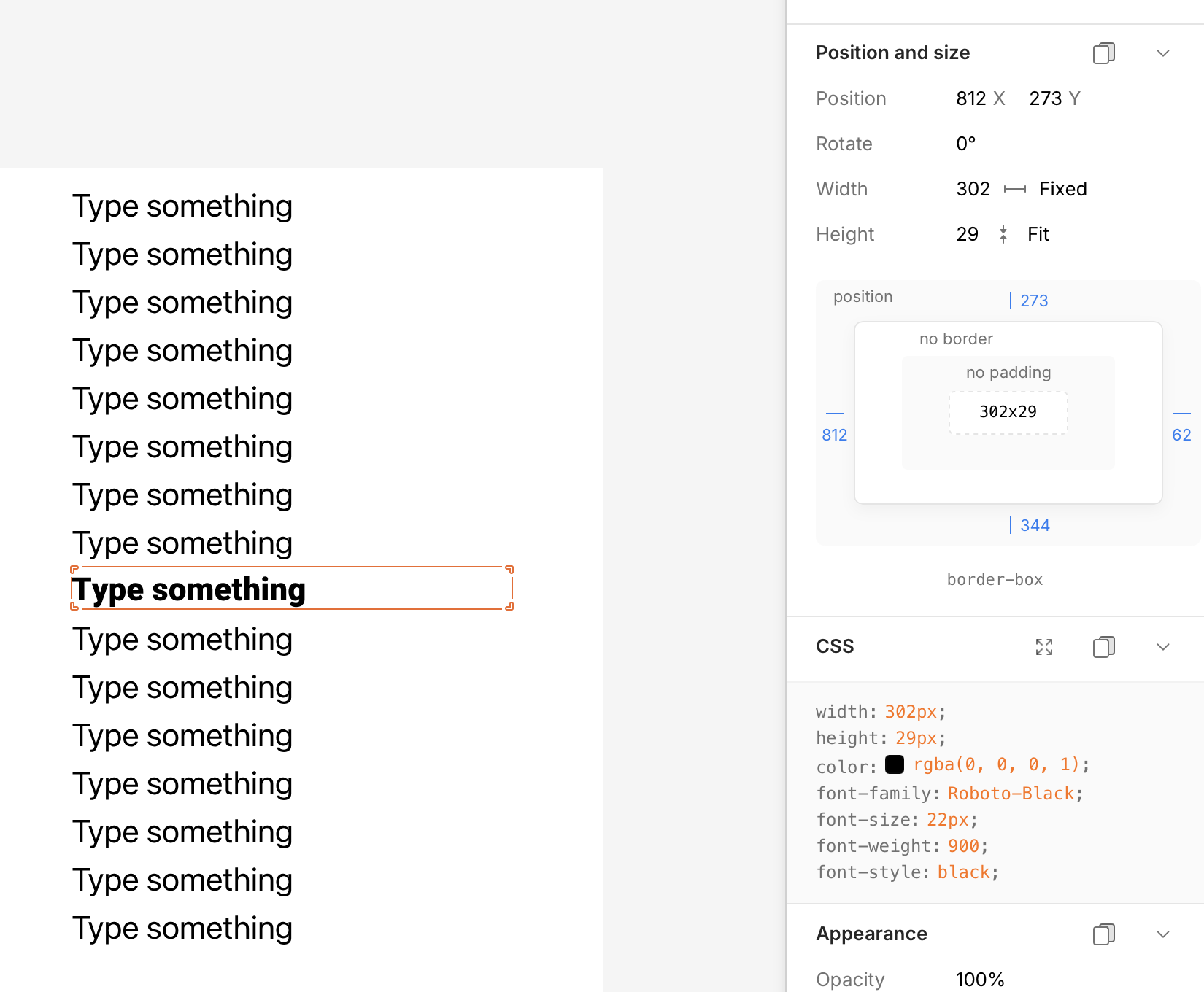
For some reason I see that “Roboto-Black” is able to be shown currently with the name also visible in the font-family section (see attached screenshot)

Thank you for your help!

Hi @Nikolaj

Thanks. Could you send us a sample document with the font embedded so we can compare what is happening on our side?

You can send it through productsupport@sketch.com for privacy.

1 Like