Hey folks 
After a few weeks in beta, and with a lot of helpful feedback from folks in the forum, our Copenhagen release is now out of beta and available for everyone. You can download it here or open the Mac app to update.
If you’ve not been following along with the beta, here’s what’s new…
An all-new design
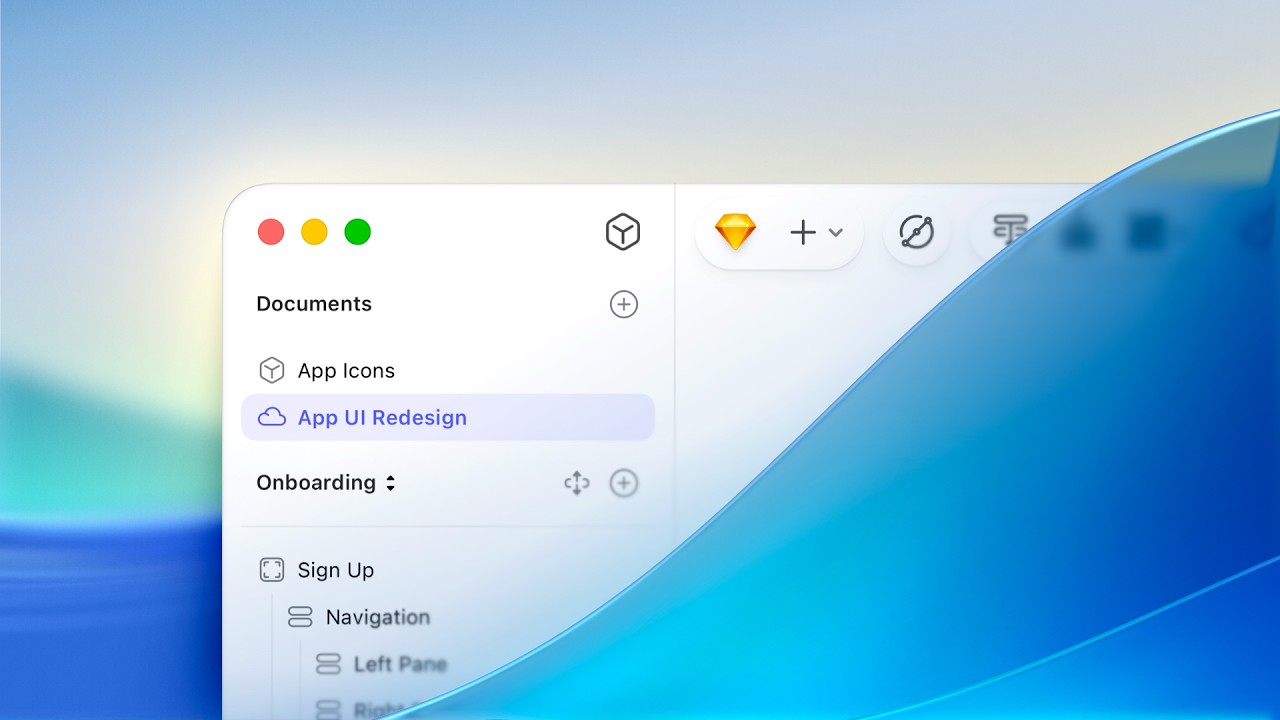
When Apple announced macOS Tahoe, we knew we had to redesign Sketch. We also knew that redesign had to be more than a fresh coat of paint — it had to improve functionality.
In Copenhagen, the toolbar is contextual and automatically adapts based on your selection and tool choice. The layer list has a new focus mode to show only layers you’ve selected and their relevant context.
The new Inspector isn’t just a redesign, either — it’s a full rewrite. It introduces floating panels for things color and color variable selection, numeric fields you can drag to scrub without focusing, and alternate functions when you hold ⌥.
There’s a lot more to talk about this redesign, and we’ve got a full guide to every detail over on the blog.
Stacks now wrap
A much-requested feature since we launched Stacks earlier in the year. You can now set horizontal or vertical stacks to wrap when their contents exceed the fixed height of width of their container.
Naturally, you get alignment options for those items wrapping over multiple rows or columns. This one opens up a whole new world of layout possibilities and we’re excited to see what you do with it.
One-click background removal
You can now remove the background from any image in Sketch in one click. We have two options for this — one better suited for people, and another for objects.
We use Apple’s on-device machine learning for this. We don’t send your images off to any external server or third-party for processing.
More flexible folders
Projects and Collections in your Workspace are now simply called folders. And unlike projects and collections, you can nest folders infinitely, giving you the freedom to organize your Workspace however you want.
Nested folders will always take on the permissions of their top-level parent folder. Everyone who shares your workspace will need to update to Copenhagen to see nested folders.
And much more
As ever, we’ve included a number of smaller improvements — including many you‘ve requested. One highlight: you can now copy a link to any individual frame to view and share in the web app. You’ll find full details of everything that’s new in the changelog.
Thanks again to all of you here in the forum who took the time to try out the beta and share your feedback. A complete redesign like this is no small undertaking (we actually started rebuilding the Inspector at the start of the year) and we’re excited for what it unlocks.
As ever, if you have thoughts — please share them in share an issue or suggest an idea, and not in the replies below. Thanks!
