There’s a somewhat uncommon issue where trying to resize a symbol instance sometimes moves the instance instead. I’ve been playing with it but can’t find a reliable way to reproduce, but it occurs often enough to be really annoying when I’m trying to resize something and end up moving the entire symbol instead. I’m including a video of the issue. This is occurring to me on Sketch 2015.1.3 (203472) on a Macbook Pro M4
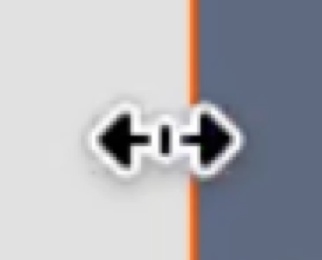
After playing with it some more, I realized this can occur on a regular shape too not just instances. I’m using a mouse and I think I’m able to somewhat reliably reproduce this, there’s this exact cursor positioning (when at 100% scale) where the bottom edge of the arrow lines up with the edge of the shape, and it seems to grab as move instead of resize pretty consistently. It’s possible to move the shape outside of this exact cursor placement, but this seems to be the most reliable way I can reproduce this at the moment.
A bit more testing after the video, I can also use the same line-up for the top edge but not the left edge
Can you share with us your macOS version? I’ve been testing with macOS Sonoma 14.7.7; but so far, I’m unable to reproduce the issue. Please see the video and screenshot for reference. Thanks!
Sorry that I forgot to mention, I recorded my clip on Tahoe Beta 3 or 4, I’m still able to produce this issue on Beta 6 after the new 2025.2 Sketch update.
I also notice it seems to be help that the element is large too to reproduce consistently? It’s definitely something I had to sit here and toy with for awhile to get it to occur, but once it happens, it starts to happen really consistently even without my precise cursor line-up.
EDIT: I found something interesting that might help (or simply just a new bug), if I double click on one of the edges, it causes the layer to jump to a weird offset and if I continue holding down the mouse button it would make me drag the layer as well.
I’m having the same issue with moving instead of resizing on macOS 26 Beta 8 and Sketch 2025.2.1 (205181), please see the video attached, it’s just a frame with a single rectangle, nothing else on the page. Let me know if I can provide more information to help debug this.
I have the same problem. It happens quite random. I’m not sure, but I think it happens since I’ve updated to MacOS Tahoe. Currently I’ve MacOS Tahoe 26.0.1 and Sketch 2025.2
I think click and holding (half a sec.) the bounding box, before dragging makes a difference. In my experience this results in resizing instead of moving the element.