Sometimes the frame labels just get in the way, especially if you have frames on top of frames or nested. Is there a way to make them disappear?
Top level frames, those directly on the canvas, will always display their label.
To hide the label, nest the frame inside another frame or in a group. Here’s a video of how the frame label disappears when you nest or group.
Let me know if this helps or if you have any further questions.
1 Like
I have the opposite question - how do I show the frame labels when the frames are inside another frame? I use nested frames to organize my symbols page, and because of this I only see the top-level frame group but not the children inside. Is there a way to turn on the labels for the child frames, when the frames aren’t overlapping with each other?
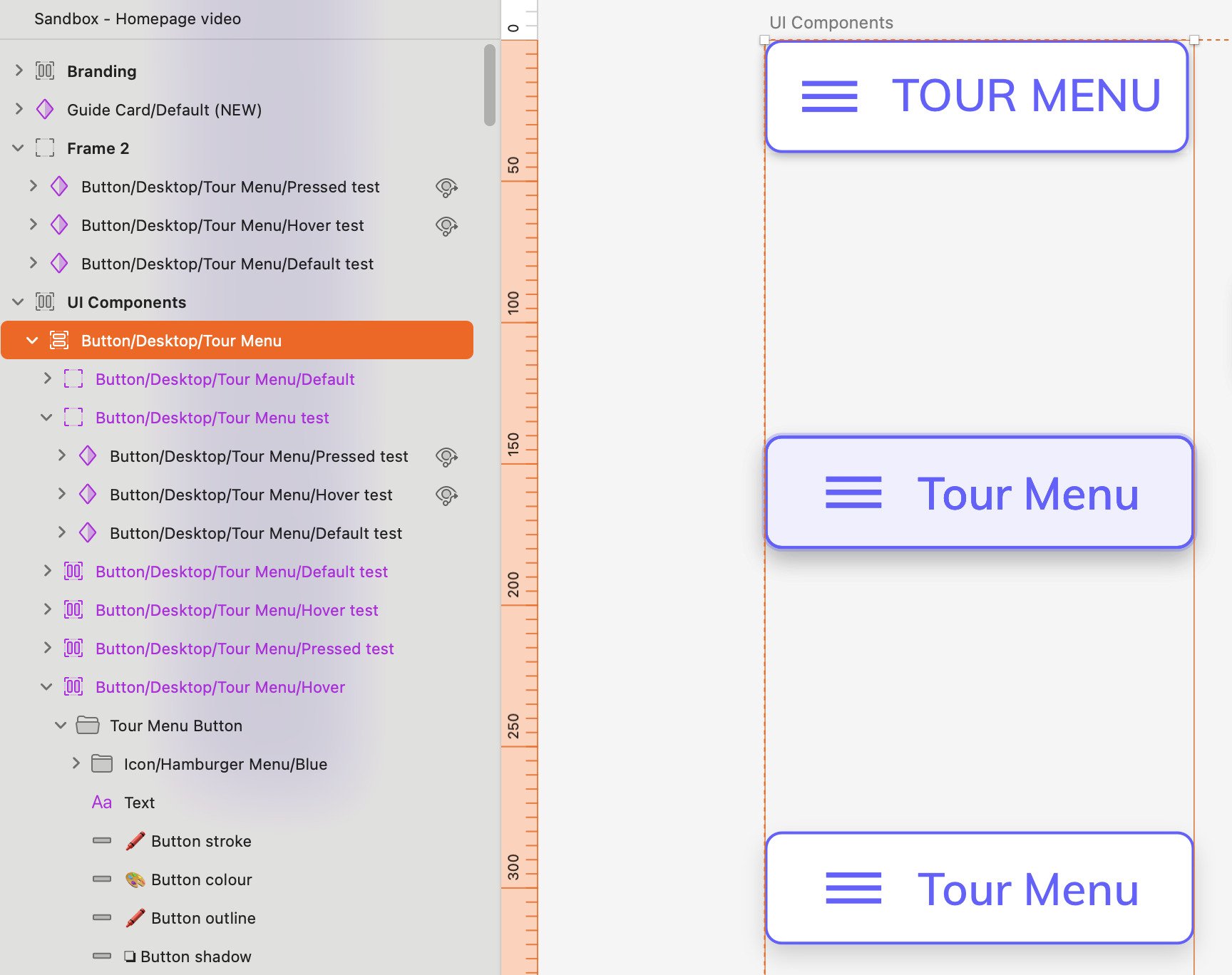
One other question - can I preview an individual symbol when I’m viewing the source, or do previews only work on an instance of a symbol?
Hi, Andrew. Here are my answers to your questions
There’s no way to turn on frame labels for nested frames. I’ve seen others use text layers to add titles to frames in these cases. It does add the extra steps to create and manage those title layers, but it can do the job
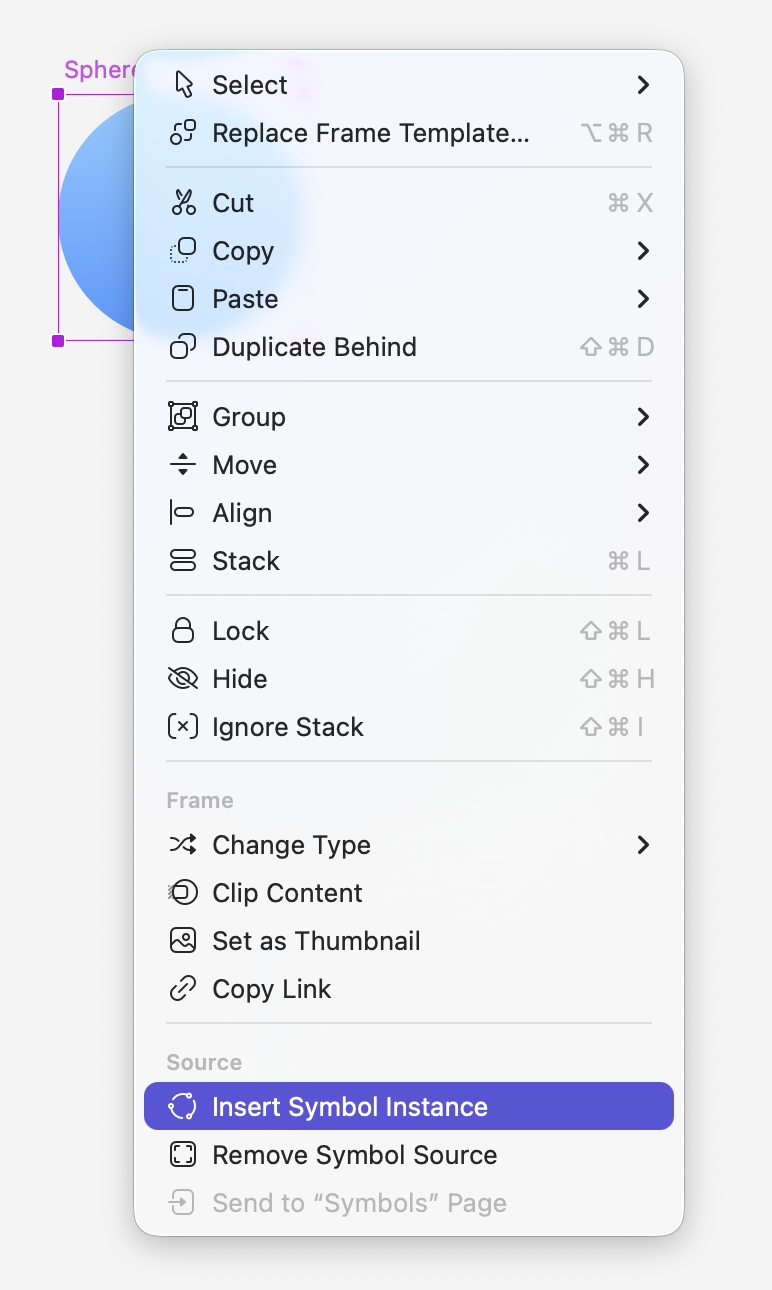
I think you mean to see the changes you make as you edit a source, right? That can only be seen on a symbol instance. You can insert an instance fast by selecting the symbol source frame, then right or ctrl-click it and select Insert Symbol Instance from the contextual menu:
This is a request we’ve had from other users: see live the edits you make on a symbol source in a window or separate view. I’ve added yours to our internal record.
Yes - got it - the nested frames video - that works - thanks!