Poor Quality SVG Exporting

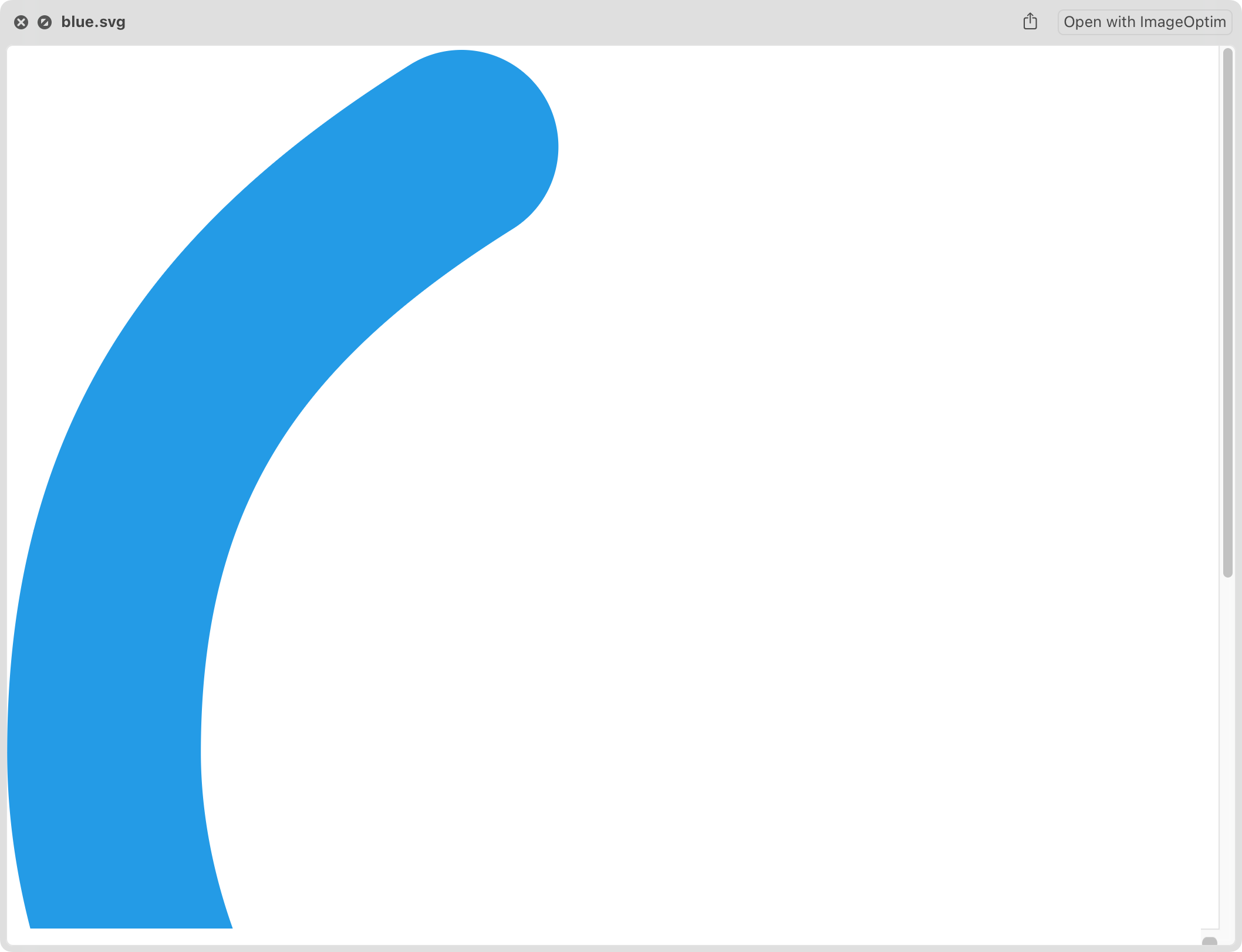
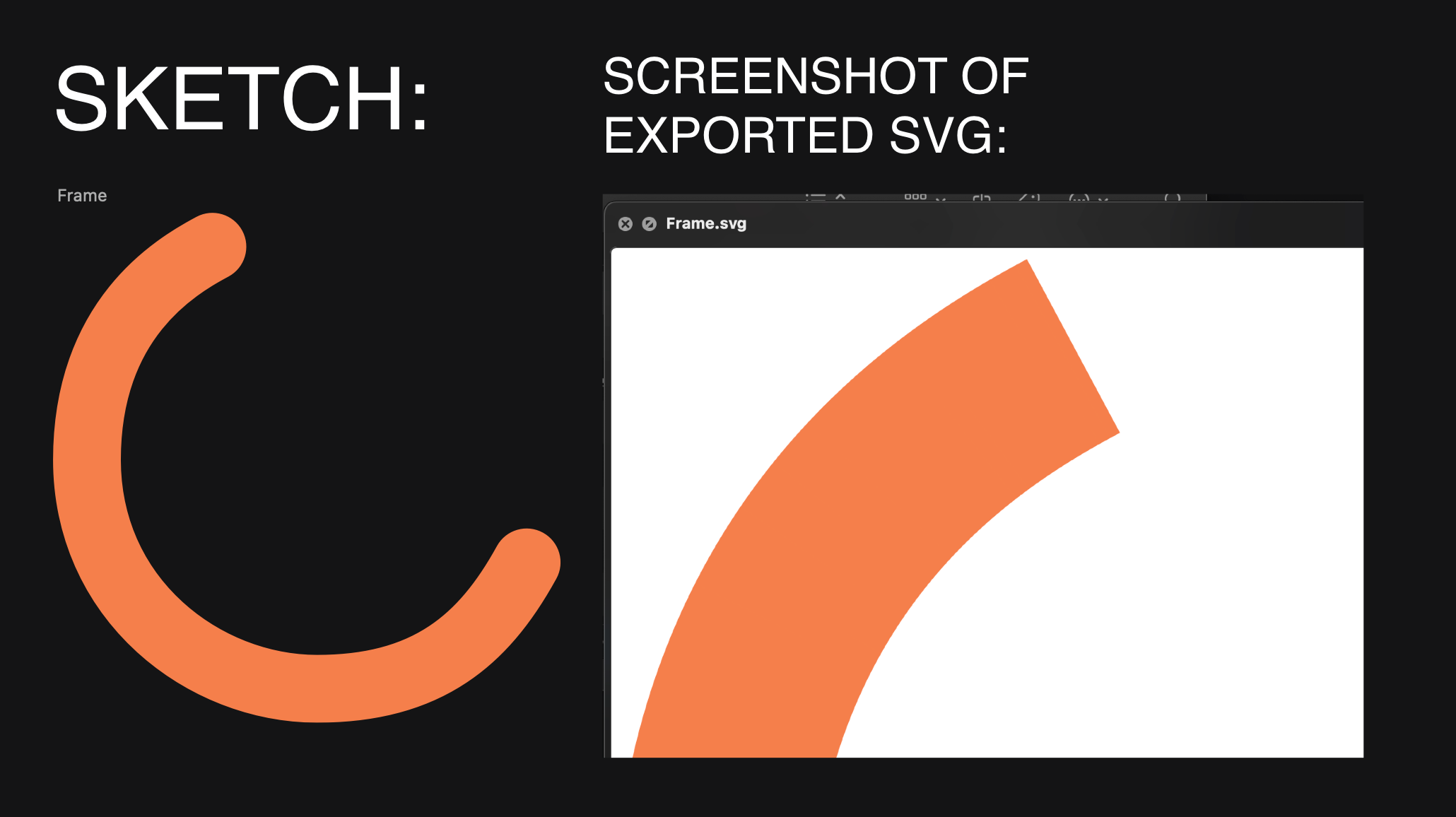
In the example Sketch document, the shape looks normal in the preview, however once exported to SVG it removes the rounded line caps.

There have been a few other issues with the exported SVG not matching the Sketch preview, however I wasn’t able to find any specific examples as I either found workarounds or changed the design.

It wouldn’t let me attach it in the first post, so:
Rounded Line Caps.sketch (92.1 KB)

Hey, thanks for sharing the file.

I have one question: how did you create the path? If I export your document, I get the unexpected effect, but if I trace a path just like yours in Sketch, with the same border settings, I get the expected result in SVG. :thinking:

Take a look at the attached file. It was done with the latest Sketch version: 2025.2.1

Retraced path.sketch (61.3 KB)

I hope this helps!

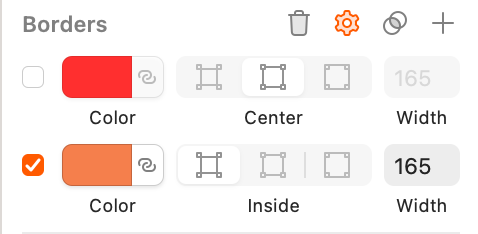
the reason is probably this

although in my opinion it is strange that the export does not output what is shown in the workspace

1 Like

I started this design a while ago, but I think I made a circle and then edited it to be what it is now. I have a few other cut circles in the design and they have the same issue.

Looks like it!

It seems to only be an issue when there’s a circle that’s cut down and given an Inside border type with rounded caps.

Hey, thanks @kozeev ! That’s the reason indeed.

I’m wondering how @zkmrtn8 got there. This could come from a file created in an old version.

Normally, when you draw a path or open a shape like a circle, the border is automatically set to Center and you’re not able to change it.

I’ve tested some quite old versions (v85) but I can’t get that inside border on a path.

Add a new border to the paths you need to export and they should be set as Center automatically.

It shouldn’t be that old, I started the design a while ago, but it was one one of the more recent versions of Sketch.

I started with a circle like this:

I tried a whole bunch of stuff, and both the Scissors and Open Path button set the border to Inside automatically. Copy/Paste Styles, however, will let me set it back to be Inside (just duplicate the starting circle, cut one, and then paste the styles from the other). I probably unknowingly did that and didn’t realize/didn’t care that it set the border to be Inside.
This topic was automatically closed 3 days after the last reply. New replies are no longer allowed.