That’s a great observation, and a really good question! Allow me to explain what’s happening here.
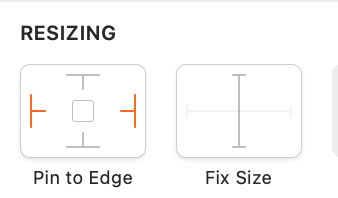
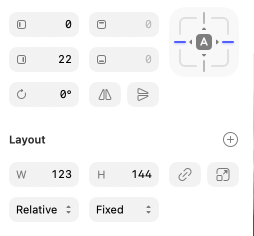
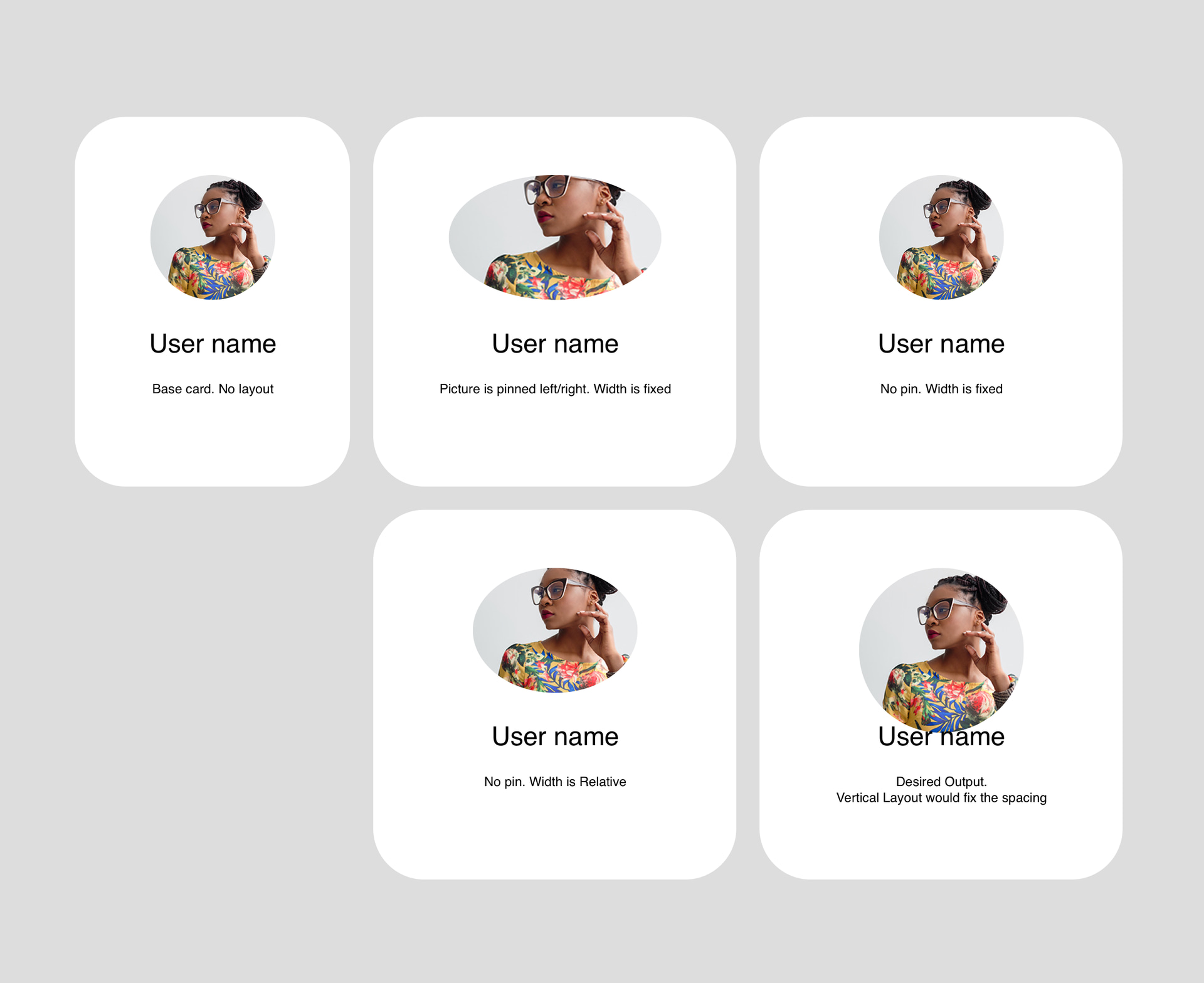
Note that a layer can be pinned to both the left and right edges, while still having a “Fixed” width. What this means in practice is that the width is determined by the pins, rather than trying to be proportional to the size of the container.
In general, I would recommend using “Fixed” in most cases, and you can then achieve the other setups you require just by clicking the pins. Note that all new layers are “Fixed” by default, so there’s no need to change anything in that popup, unless you really do need “Relative”, which should only be used if you need it for a layer which scales proportional to its container.
The old workflow often required extra clicks. The new workflow improves this, and is a lot more direct once you understand the concepts of the Pinning and Sizing options.
We do appreciate that this UI could be clearer however, and I have passed your feedback on to the team to discuss potentially making changes in a future update. Thanks once again for the feedback! These thoughtful posts help us spot where Sketch can improve!
I would argue that if the width is determined by the pins, it’s not ‘Fixed’ anymore. It’s size will change when resizing it’s container. What does Fixed means in that context?
Can you give me an example of an item that is pinned left and right that would have different behavior when set to “Fixed” then set to “Relative”?
This is just a frame, no stack or layout for now. Picture is set to a locked ratio.
Would be nice if it could I could set a pinned relative width, but the height would scale proportionnaly and keep the right ratio. It’s closer to how CSS behaves.
This probably creates many edge cases I’m not thinking about though.
I was struggling with this first compared to the old vertical layouts.
For me, creating a card for example takes same or more clicks than using a vertical layout. It should be more powerful though.
You can’t pin inside a Stack. That’s it’s own problem.
But generally it took me some time to realise that Stacks have width set to ‘Fit’ by default (that’s great for button, not so much for cards), and if I wanted to have a textfield inside be ‘Fill’ instead of ‘Fixed’, I first needed to change the Stack to ‘Fixed’ or it would break everything. But for a bit I didn’t understand.